Retail Sales Data vs. Shelf Audits: What Each Can Tell You
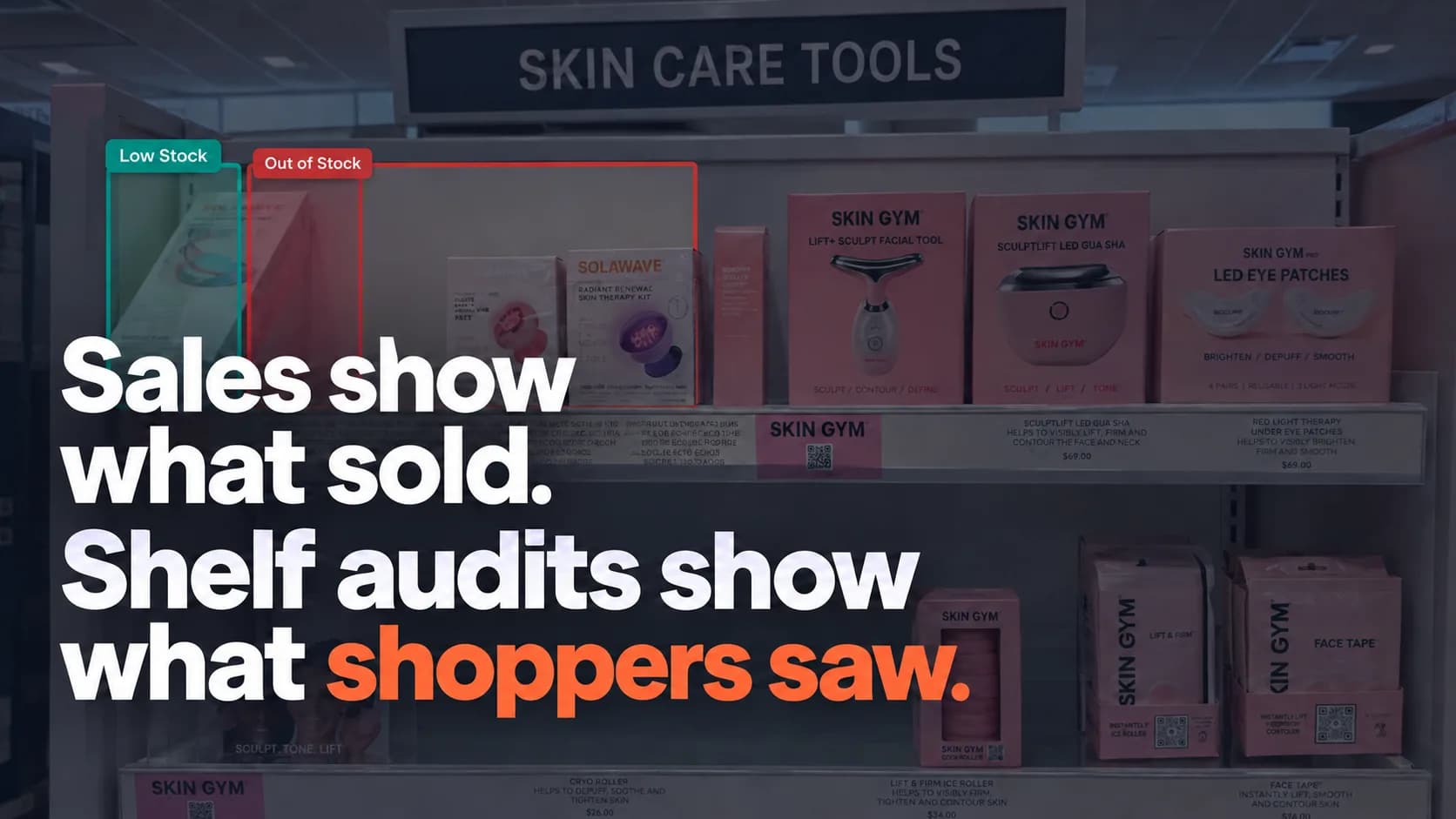
Sales dropped at a retail account. Was your product unavailable, difficult to find, incorrectly priced—or simply selling more slowly?
Sales data can show where performance changed. It usually takes additional evidence to understand what happened on the shelf.
For CPG brands, retail sales data and shelf audits answer different questions. Sales data helps you track purchasing patterns over time. Shelf audits document what shoppers could see and buy at specific locations when the visits took place.
Used together, they give your team a clearer starting point for investigating problems and deciding what to do next.
What Retail Sales Data Can Tell You
Retail sales data helps you understand how products perform across the stores, accounts, and periods covered by your reporting.
Depending on the source and level of detail, it may include units sold, sales revenue, selling prices, promotional sales, and store-level performance.
It can help answer questions such as:
Which products are selling more or fewer units?
Which stores or accounts are performing differently?
How did sales change during a promotion?
Did a new product gain momentum after launch?
Where should your team investigate a decline?
The source matters. Shipments into a retailer tell you what entered the retailer’s supply chain. Point-of-sale data tells you what shoppers purchased. Inventory records describe recorded stock, which may include units outside the selling shelf.
Before drawing conclusions, make sure your team knows which measure it is reviewing.
Where Sales Data Leaves Questions Open
A sales decline is a signal to investigate, but it does not automatically explain the cause.
Lower sales might reflect weaker demand, an empty shelf, a placement change, a pricing issue, or several factors at once.
Even recorded inventory does not necessarily establish that a shopper could find the product. Units may be in a backroom or elsewhere in the store.
Sales reporting helps identify a pattern. A store check can add evidence about the conditions behind it.
What a Shelf Audit Can Tell You
A shelf audit records the visible condition of your products at a specific store and time.
Auditors visit the location, photograph the relevant shelf sections, and check defined requirements. Those requirements might cover availability, presentation, pricing, placement, or promotional execution.
A well-scoped audit can help answer:
Are the expected products and variants visible?
Are there empty slots or signs of low stock?
Are products facing forward and easy to identify?
Do shelf labels correspond to the correct products?
Does the displayed price match the expected price?
Is the planned promotional signage present?
Are products in the expected shelf section or display?
Annotated photos make those observations easier to review and share. Your team can see the condition being reported and identify the location that needs follow-up.
Where Shelf Audits Have Limits
A shelf audit is a snapshot, not a continuous record.
An empty slot during a visit does not establish how long the product was unavailable. A well-stocked shelf does not prove that it stayed stocked throughout the week.
Photos alone also cannot confirm backroom inventory, determine the cause of a replenishment problem, or calculate lost sales.
It is equally important to distinguish between a product that is temporarily out of stock and one that the location does not carry. Audits need an expected assortment or other reliable reference to make that distinction.
Retail Sales Data and Shelf Audits Compared
Business question | What sales data can tell you | What a shelf audit can tell you |
|---|---|---|
Are sales declining? | Shows changes in recorded sales over time | Documents shelf conditions that may warrant investigation |
Is the product available to shoppers? | Records purchases; an absence of sales does not establish availability | Shows whether the product is visible in the inspected area during the visit |
Are all expected variants present? | Shows sales by variant where that detail is available | Checks visible variants against the expected assortment |
Is pricing correct? | May show transaction prices or average selling prices | Checks displayed shelf prices against the supplied reference |
Was a promotion executed? | Shows sales performance during the promotional period | Verifies visible signage, displays, and shelf pricing |
Is placement correct? | Does not usually show physical shelf position | Documents placement against a supplied requirement |
Has an issue been resolved? | Shows subsequent sales performance | A revisit checks whether the visible condition has changed |
Neither source provides every answer. Their value comes from connecting the performance pattern with evidence from the store.
When to Use Both Together
Investigating a Sales Decline
Suppose a product’s sales fall at a group of stores.
Start by checking the sales reporting: compare periods, confirm the locations and SKUs involved, and look for changes in pricing, promotions, or distribution where that information is available.
Then use targeted audits to inspect those locations. Check whether the expected products are present, shelf labels are correct, and placement matches your expectations.
If auditors find empty slots, you have a specific issue to raise with the retail partner. You still need further investigation to establish whether that condition explains the broader sales decline.
Reviewing a Promotion
Sales data helps you assess performance during a promotion. Shelf audits help you verify whether shoppers encountered the planned offer.
A visit during the campaign can document promotional signs, displayed prices, secondary placements, and visible stock.
This gives your team more context for interpreting results. A weak sales response deserves a different discussion when the promotion was visibly missing from inspected stores than when execution appeared consistent with the plan.
Checking a New Retail Launch
Early sales reports can show whether purchases have started. They may leave uncertainty about locations with little or no activity.
Shelf audits can check whether the products have reached the selling shelf, whether expected variants are present, and whether shoppers can identify the correct price.
Together, the two sources help separate confirmed shelf placement from early sales performance.
Preparing for a Buyer Review
Sales trends provide the performance story. Recent audit evidence adds store-level observations.
For example, your team might bring a sales trend alongside dated photos showing recurring availability issues at selected locations, the follow-up actions taken, and the results of revisits.
Keep the scope clear: observations from a selected group of stores should be presented as findings from those locations, rather than as a conclusion about the entire account.
How to Connect Sales Reporting With Shelf Audits
You do not need to audit every store whenever a metric changes. Start with a defined question and select visits that can help answer it.
Step | What to do |
|---|---|
Identify the signal | Select a specific sales change, launch question, or promotional concern |
Define the scope | Identify the relevant retailer, stores, SKUs, and reporting period |
Set the audit brief | Provide product images, expected assortment, prices, and promotional requirements |
Collect evidence | Photograph the relevant shelves and document visible findings |
Review the results together | Compare sales patterns with the dated store observations |
Assign follow-up | Route confirmed issues to the appropriate account or retail contact |
Check again | Revisit selected locations and review subsequent sales separately |
Match the timing as closely as practical. A shelf photo captured after a promotion ends cannot verify how the display looked while the promotion was running.
Likewise, a current store visit cannot establish what caused a sales decline several weeks earlier. It can show whether a relevant issue is present now.
Avoid These Common Interpretation Mistakes
Treating zero sales as proof of an out-of-stock.
No recorded sales could have several explanations. Confirm shelf conditions before assigning a cause.
Treating recorded inventory as proof of shelf availability.
Inventory records and shopper-visible availability describe different things. A physical check can help clarify the gap.
Using one visit to explain an entire month.
An audit documents the moment of inspection. Repeated visits provide more evidence about recurring conditions.
Assuming an empty slot proves lost revenue.
An empty slot is an actionable observation. Estimating its financial impact requires additional data and assumptions.
Expecting an audit to fix the issue.
A report documents the condition. Correction needs an owner, and a follow-up check can verify whether the shelf has changed.
How PlanoIQ Adds Shelf Evidence to Your Reporting
PlanoIQ helps CPG brands collect store-level evidence without sending their own teams to every location.
Field auditors photograph the relevant shelves. AI assists with brand detection and shelf assessment, and a human reviewer confirms or corrects findings before reports are published.
Brands receive annotated shelf photos and written assessments covering areas such as availability, presentation, pricing, and promotional execution, according to the visit scope.
Your team can use that evidence alongside sales reporting to investigate specific stores, share documented findings with retail partners, and prioritize follow-up visits.
Sales data tells you what sold. Shelf audits help you see what shoppers encountered. Connecting the two makes your next conversation with a retail partner more specific—and your next action better informed.
See what’s happening at selected locations carrying your products. Create your PlanoIQ account to claim your first 10 free store visits.